/*
		NodeMCU UV Meter
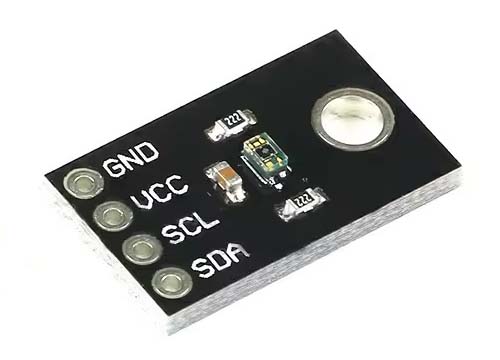
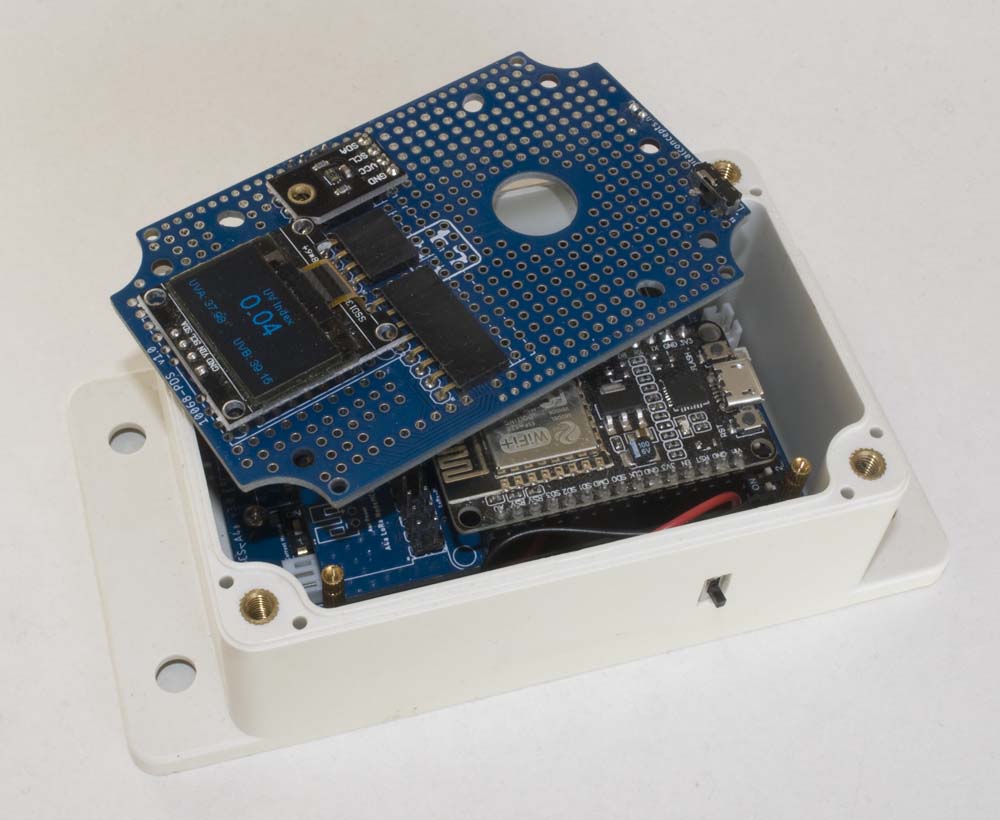
		Displays VEML6075 readings on I2C SSD1306 OLED display
*/

#include <Wire.h>             									// I2C bus
#include <SSD1306Wire.h>      									// OLED Display
#include <SparkFun_VEML6075_Arduino_Library.h>
#include "NodeMCUPins.h"      									// NodeMCU Pin Definitions

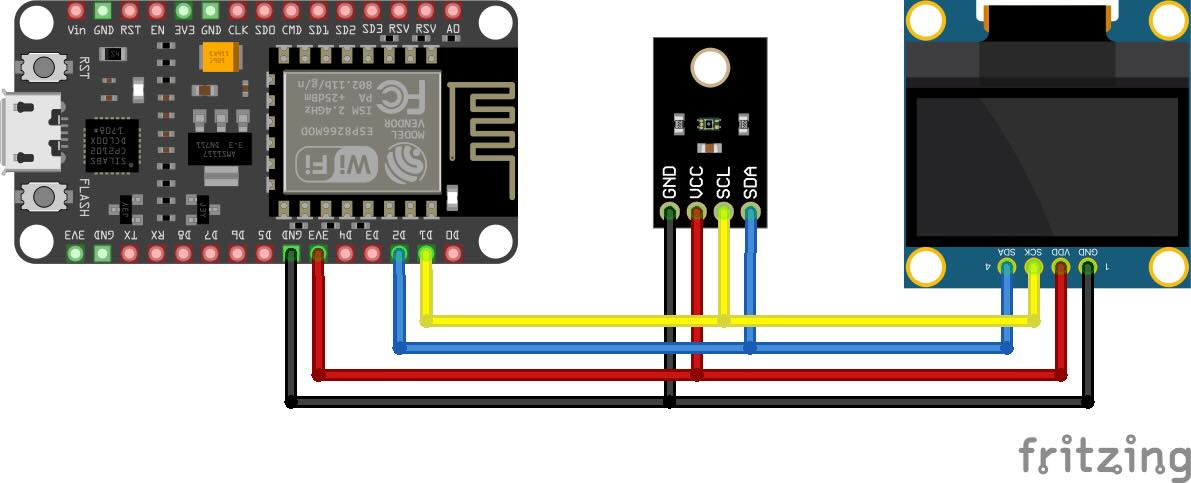
const int I2C_SCL = NodeMCU_D1;
const int I2C_SDA = NodeMCU_D2;

// UV Sensor

VEML6075 uvSensor;

// OLED Display

const int I2C_Display_Address = 0x3c;
SSD1306Wire display(I2C_Display_Address, I2C_SDA, I2C_SCL);

const int reportInterval = 1000;				// Report values every 1000 milliseconds

void setup() {
  Serial.begin(115200);
  while (!Serial);											// Wait until the Serial port is active
  Serial.print("[setup] I2C UV Meter");
  Serial.println();

	// Initialise the I2C Bus

  Wire.begin();

	// Initialise the VEML6075 UV Sensor
  // The begin function can take a TwoWire port as a parameter -- in case your platform has more than
  // the one standard "Wire" port.
  // begin will return VEML6075_SUCCESS on success, otherwise it will return an error code.

  if (uvSensor.begin(Wire) != VEML6075_SUCCESS)
  {
    Serial.println("[setup] No VEML6075 sensor found!");
    while (true);
  }

  // Integration time: The VEML6075 features five selectable integration times. This is the amount of
  // time the sensor takes to sample UVA/UVB values, before integrating the readings into averages.
  // Valid integration times are:
  //      VEML6075::IT_50MS -- 50ms
  //      VEML6075::IT_100MS -- 100ms
  //      VEML6075::IT_200MS -- 200ms
  //      VEML6075::IT_400MS -- 400ms
  //      VEML6075::IT_800MS -- 800ms
  // The library defaults integration time to 100ms. (Set on every call to begin())

  uvSensor.setIntegrationTime(VEML6075::IT_200MS);

  // High dynamnic: The VEML6075 can either be set to normal dynamic or high dynamic mode.
  // In high dynamic mode, the resolution is increased by about a factor of two.
  // Valid dynamic settings are:
  //      VEML6075::DYNAMIC_NORMAL -- Normal dynamic mode
  //      VEML6075::DYNAMIC_HIGH -- High dynamic mode
  // The library defaults the dynamic to normal

  uvSensor.setHighDynamic(VEML6075::DYNAMIC_HIGH);

	// Initialise the OLED display

  display.init();
  display.setFont(ArialMT_Plain_24);
  display.setTextAlignment(TEXT_ALIGN_LEFT);
  display.drawString(5,5,"UV Sensor");
  display.display();

  Serial.println("[setup] Set-up Complete");
  Serial.println("");
}

void loop() {

  // In addition to uva, uvb, and index, the library also supports reading the raw
  // 16-bit unsigned UVA and UVB values, and visible-light and infrared compensation values with
  // the functions rawUva, rawUvb, visibleCompensation, and irCompensation. These values,
  // in addition to pre-calculated scalars, are used to generate the calculated UVA, UVB and index values.

  Serial.println(String((float)millis() / 1000.0) + ": " +
                 String(uvSensor.rawUva()) + ", " + String(uvSensor.rawUvb()) + ", " +
                 String(uvSensor.visibleCompensation()) + ", " + String(uvSensor.irCompensation()) + ", UVA: " +
                 String(uvSensor.uva()) + ", UVB: " + String(uvSensor.uvb()) + ", Index: " + String(uvSensor.index()));

//  Display the sensor readings

  display.clear();
  display.setTextAlignment(TEXT_ALIGN_CENTER);
  display.setFont(ArialMT_Plain_10);
  display.drawString(64, 0, "UV Index");
  display.setFont(ArialMT_Plain_24);
  display.drawString(64, 10, String(uvSensor.index()));
  display.setFont(ArialMT_Plain_10);
  display.setTextAlignment(TEXT_ALIGN_LEFT);
  display.drawString(0, 46, "UVA: " + String(uvSensor.uva()));
  display.setTextAlignment(TEXT_ALIGN_RIGHT);
  display.drawString(128, 46, "UVB: " + String(uvSensor.uvb()));
  display.display();

  delay(reportInterval);
}
|